Apple Watch Series 2 vs Garmin Vivofit 2 review
Apple Watch Series 2 vs Garmin Vivofit 2 review
By the Roadmap+ Team
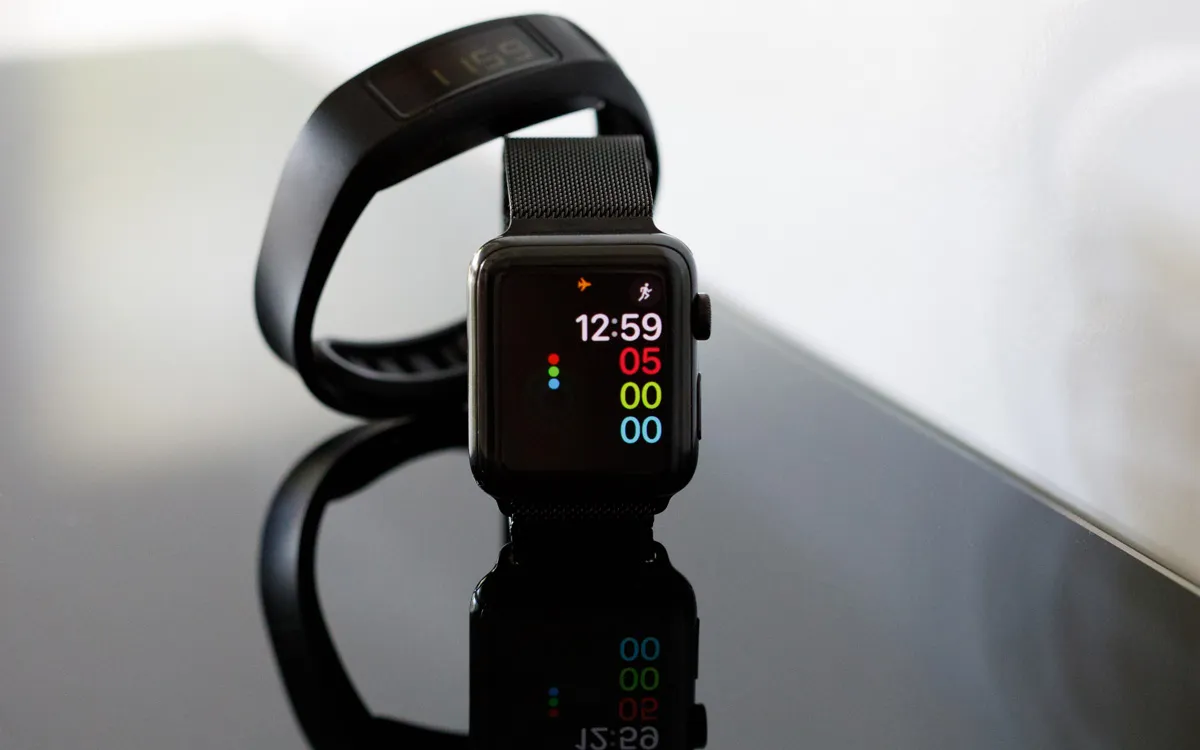
After a year step and sleep tracking with the Garmin Vivofit 2, I upgraded to an Apple Watch (Series 2) around four months ago. The Garmin model I had met my basic requirements, but when Apple announced Series 2 of its watch, I was intrigued by the added GPS functionality, breathing app and having access to some apps on my wrist when away from my desk. It was to be a sizable upgrade that had to be worth it, so if you're in the same boat I was in, this review may help you decide.
any form of activity tracking, no matter how simple, is better than nothing
First off, the Apple Watch has a different concept to activity tracking than the Vivofit. Where the focus of the Garmin was on step counting, the Apple Watch has three measures that are at the center of activity tracking: active calories, exercise minutes and stand hours. It also records steps, but they're unfortunately displayed less prominently.
Active calories (red bar) are recorded for moving, walking or exercising and are calculated based on your personal data such as age, height and weight, as well as heart rate, which the watch also measures. Exercise minutes (green bar) are recorded for more strenuous activity and also based on heart rate. Depending on fitness level, this may mean that for one person carrying groceries may be counted as exercise while for another it takes jogging or weights. A stand hour (blue bar) is counted when you move (min. stroll pace) for at least a minute each hour. If you haven't done so ten minutes to the full hour yet, you receive a reminder to “stand” within the next ten minutes.
In contrast, the Garmin has what it calls a move bar which fills up and reminds you to move around after one and two hours of inactivity, too. After that, it gives up while on the Apple Watch you continue receiving reminders every hour. This makes the Apple Watch more motivational, as it displays the streak of achievement per hour in the Activities app on the watch, while on the Garmin the data needs to be synced to the web app via phone or the included USB. Thinking about it now, the Vivofit did little more than track time, steps and a few other measures, and notably lacked the day overview and a graphical representation of the data that helps catch-up and manage activity for the rest of the day.
By far, the Apple Watch is substantially more motivating, which given the price difference, may not come as a surprise. The Vivofit 2 was a tenth of the price, but the features probably add up to a hundredth if you consider the possibilities of installed apps. Off the shelf though, the pros of using an Apple Watch over a device such as the Vivofit, for me, are:
- Design. I find the Apple Watch has a significantly nicer design and I've had no problem matching it to any outfit. Customizable watch faces and straps add to its versatility. Wearing the Vivofit with business attire is fine, but the Apple Watch goes better with a suit.
- Connectivity. Syncing is faster and more reliable than with the Garmin, which failed to sync from time to time – a common complaint by users online, likely due to the dependent Garmin web service.
- Heart rate. Because of its heart rate monitor, the watch measures calories and exercise more accurately.
- GPS. Having GPS means I can record an outdoor activity, like a jog, without having to bring my phone. After syncing back home, I can view the route I took on a map.
- Quality. The Watch appears more durable than the Vivofit. Time will tell how it holds up over a longer period of time.
- Mindfulness. Breathing reminders can be used for short breathing sessions, which the Watch guides visually and through vibration.
- Achievements. The Watch's gamification is fun, if nothing more. You earn badges for achieving different targets, such as hitting your daily goals every day of a week. While it seems silly, I admit to having moved more on multiple occasions in order to receive a badge.
- Privacy. The Watch syncs with the iPhone's health data, which is also the only place where it is stored. It is only backed up to your iTunes back ups if the option to 'Encrypt iPhone backup' is enabled. With the Garmin, data is synced to the cloud and stored on Garmin's servers. Even if you request it via email, they will not delete your profile nor your step count history. If you have time and privacy laws in your jurisdiction support it, you could potentially demand it be removed. Garmin's data keeping rules may have changed in the meantime, but this is how things stood in October 2016.
- Smartwatch. Of course, the Apple Watch has lots of other functionality as a smart watch like email or text message notifications. You can even answer calls on the Watch. I am not using too much of that regularly, but it can come in handy for example when working onsite for a freelance client. On the Garmin I always missed small things, like an alarm or stopwatch, but on the Apple Watch it's all there.
Nothing is ever perfect and there are a few downsides to the Apple Watch. The main disadvantage is battery life, which is around 2-3 days for me. Most of the time it's in flight mode, as I don't use it as a smartwatch normally and I turn it off at night. That's not too bad, but compare it to Vivofit's estimated battery life of one year, which I can attest to.
The second disadvantage of the Apple Watch also relates to the battery. The Vivofit measures sleep and records periods of light and deep sleep. Although there are apps available for the Watch that can track sleep, using them would shorten its battery life to two days or less.
Finally, while the Apple Watch may boast all the bells and whistles, it comes at five to ten times the price of a Vivofit here in Australia and it requires ownership of an iPhone, which may not be a given.
The Garmin Vivofit 2 fulfilled its purpose for the year I had it and I believe that any form of activity tracking, no matter how simple, is better than nothing. Needless to say, I'm enjoying the Apple Watch much more and for me, it does a better job at making me get up and move frequently due to its visual representation of my progress or lack thereof.
-Alex
Category:
For updates on new tools and apps, subscribe to our newsletter. We only send these out when there's something truly exciting - we won't spam you.